

Detroit & Mackinac Caboose
by James Howe on Sep.29, 2010, under HDR
(Nikon D700, 28-300mm at 78mm, ISO 1250, HDR 7 Exposures @ f/8.0)
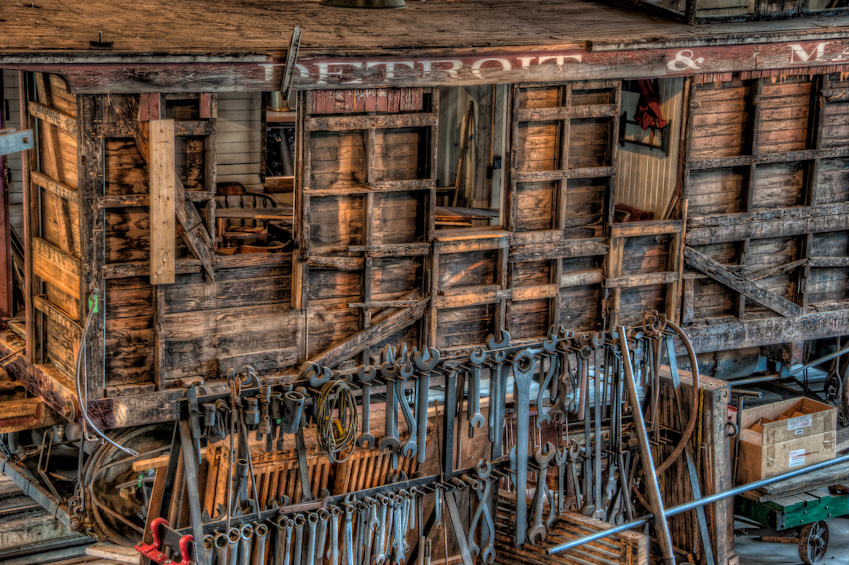
On a recent quest to try out a new Nikon lens (the 28-300) and to visit places that might make for interesting HDR images, I visited Greenfield Village in Dearborn, Michigan. As I mentioned in my previous post, Greenfield Village was created by Henry Ford to celebrate American industry and achievements. The image above was taken in the DT&M Roundhouse. I believe the railroad car in the picture is a caboose from the Detroit and Mackinac railroad.
One of the things that always impresses me when I visit this roundhouse is the size of the tools. The wrenches hanging on the rack are huge. The exhibit doesn’t let people wander around in the maintenance area. The area serves both as an exhibit and as an actual work space when Village railroad equipment needs repair. There is a walkway around the top of the roundhouse where visitors can observe the area below. I took the shot of the caboose from the observation area.
When I processed the image, my goal was to bring out the texture and details of the old railcar. In the non-HDR image it’s harder to see the wood grain, nail holes and other details in the car. Some could argue that the HDR doesn’t look realistic, and in this case it doesn’t. I didn’t use HDR to create a realistic image, I used HDR to highlight a feeling I had relating to the condition of the car.
Processing consisted of performing some noise reduction on the original images in Lightroom. I shot this at ISO 1250 with my Nikon D700, and while the Nikon does a nice job on limiting noise, when you process images for HDR, any noise just gets amplified (at least with Photomatix). After the noise reduction, I processed the images in Photomatix 4 (beta). Finally I took the image into Photoshop and used Topaz Adjust on the ‘Detailed’ preset to bring out more texture in the image. This make the image look overcooked so I reduced the opacity to about 35% to get the level of clarity that I wanted.
When I was processing the image I also made a black & white version which I also like. I’ll post that tomorrow
Comments?
Copyright © 2010 James W. Howe – All rights reserved.
DT&M Roundhouse – Greenfield Village
by James Howe on Sep.27, 2010, under HDR
(Nikon D700, 28-300mm at 55mm, ISO 1250, HDR 6 Exposures @ f/8.0)
Taking inspiration from Dave Wilson, Bob Lussier, Brian Matiash, Jacques Gudé and others, I decided to go out this weekend and find some interestis generally nice to shoot as well. I happen to be a member of the Henry Ford Museum which has a great collection of old artifacts, mostly relating to manufacturing. Part of the museum membership also includes Greenfield Village, which is a historical village created by Henry Ford to maintain items of historical significance to American industry.
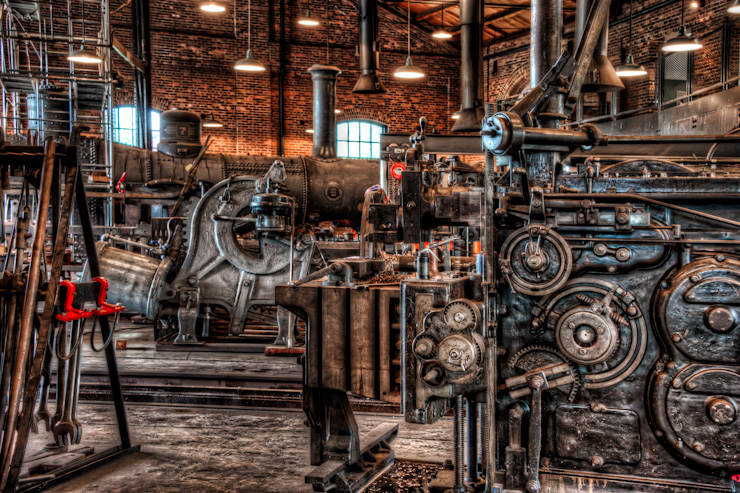
The image you see above was taken inside the DT&M railroad roundhouse located in the Village. The DT&M Roundhouse is a replica of a 1884 railroad maintenance building built in Marshall, Michigan, by the Michigan & Ohio Railroad. The original maintenance building serviced locomotives that ran between Allegan and Dundee, Michigan. The Village runs its own steam engines and this building, in addition to being used for historical display purposes, is also actively used in the repair of their engines and related items.
The interior is fairly dark, lit by period lighting (or something which resembles period lighting). The day I was there it was fairly overcast so there wasn’t any sunlight to brighten things up. I thought the collection of tools and maintenance machinery would make for an interesting HDR image. My plan was to take 7 shots, but I didn’t have a remote control and the exposures were long enough that I couldn’t easily hold the shutter release and let the camera fire off 7 quick shots. I bumped the ISO to 1250, but I still had shots lasting a couple of seconds. When I took the last shot, I must have bumped things a bit because it created just a tiny bit of ghosting when I processed the images in Photomatix. Rather than attempting to fix, I just decided to use 6 images instead.
The initial processing started in Lightroom. I used the noise reduction capability to eliminate some of the noise in the images before exporting them to Photomatix. My plan was not to go for a ‘realistic’ HDR, but rather to have something with just a bit of artificiality and something which would bring out the details in the metal objects. Once I had something I liked, I took the image into Photoshop. There, I used Topaz Adjust with the Clarity preset to add a bit more local contrast. I adjusted the saturation a little bit and the end result is what you see above.
I would be happy to hear what you think.
Copyright © 2010 James W. Howe – All rights reserved.
Recovery – Michigan Central Depot
by James Howe on Sep.23, 2010, under Architecture
(Nikon D700, 50mm, ISO 200, Exposure 1/30 sec @ f/8.0)
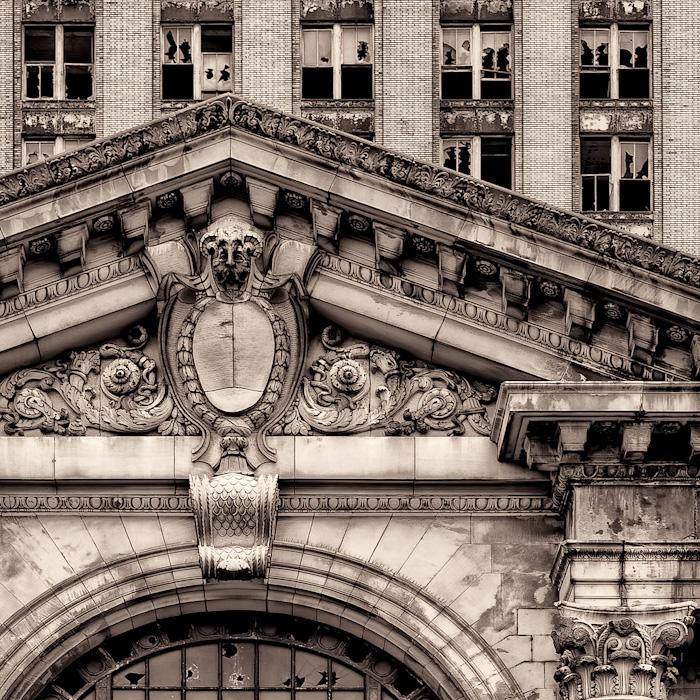
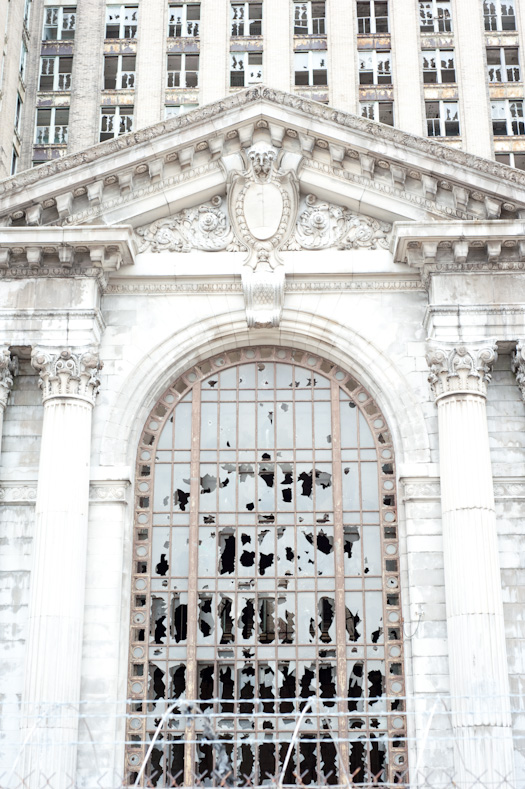
I was looking through my Lightroom catalog trying to find images which might be fun to play with using the Silver Efex Pro plugin I just purchased. As I scanned across the folders, I found a series of images that I had taken at the Michigan Central Depot in Detroit, Michigan. The building is famous for both its beauty and sorry condition. It has been threatened with demolition, and yet it still stands. Several movies have been shot here and it is a popular place for urbex photographers to visit.
The image I selected was not one of the best shots of the day. In fact, it was in a collection of images that I had marked as rejected. The composition wasn’t great and the picture was way overexposed. I think I had been playing around with shooting HDR brackets and I had forgotten to reset it. I just just recently purchased my Nikon D700 and was still learning how to use it. Sometimes an overexposed image can be pretty cool (witness some of the high key images done by David Nightingale of Chromasia fame, but I didn’t think this was one of those images. Anyway, just for kicks I decided to see what the image would look like if I fixed the exposure. From previous experience with my D700 images, I knew that even though the Lightroom histogram might be showing things shoved way over to the right (and beyond), it was possible to recover much of the image by simply reducing the exposure. To get the exposure more in the right range, I reduced the exposure 1.8 stops.
In the process of working on the image I had zoomed in. As I moved the Lightroom loupe around I encountered a crop that I really liked. I played with the crop a bit and took the cropped image into Photoshop. Once in Photoshop, I did some perspective correction to straighten the lines up a bit. I then opened Silver Efex Pro and did the black and white conversion. One of the adjustments I really liked in the tool is something called ‘structure’. Basically it seems to add additional detail to an image. I then selected a low grain film and reduced the grain even further. Finally I selected a light sepia tone for the entire image. When you compare it to the original image, I think it is quite an improvement. I’m hoping the Michigan Central Depot can make an equally or even more impressive recovery.
Comments?
Copyright © 2010 James W. Howe – All rights reserved.
Greyhound Bus Depot
by James Howe on Sep.22, 2010, under Architecture

(Nikon D700, 16-35mm at 35mm, ISO 200, Exposure 1/250 sec @ f/11)
I’ve been doing black and white conversions in Photoshop for some time now, but I’ve always been interested in the results I’ve seen from Nik’s Silver Efex Pro plugin. Well, I finally took the plunge and purchased it. As a quick test of the software I decided to try it out on an image I had been playing around with.
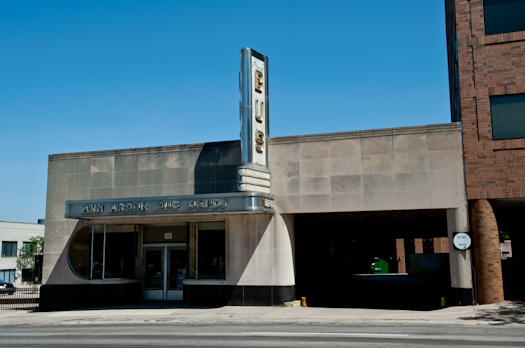
The picture shows the Greyhound bus depot in Ann Arbor, Michigan. The depot itself was built around 1940 in the Streamline Moderne style. I’ve always enjoyed the look of this building, although its a shame that it hasn’t been kept in better shape. I took this picture on an early morning walk I made around town a couple of months ago.
Processing consisted initially of a tighter crop to focus more on the key features of the building. I debated about using something like Topaz Simplify to create a more abstract image. I liked the angle of the shadows across the front and the Simplify filter really emphasized the shadow and reduced the detail in the shadow. I liked the image, but when I got Silver Efex Pro I decided to see what I could do with that tool. I honestly didn’t spend a lot of time working this image. I tried a variety of the presets until I found one which I thought looked nice. Turned out it was the Holga preset. I set the film type to Kodak ISO 32 Panatomic X to get a low grain look. I then did some additional tweaking of the parameters to get the final result. In the future I will spent some more time learning how to use the control point feature, but I’m pleased with my first usage of the tool. By way of comparison, the original image is shown below:
Comments?
Copyright © 2010 James W. Howe – All rights reserved.
Goldenbird – 1955 Thunderbird
by James Howe on Sep.21, 2010, under Automotive
(Nikon D700, 28-80mm at 28mm, ISO 200, Exposure 1/500 sec @ f/16)
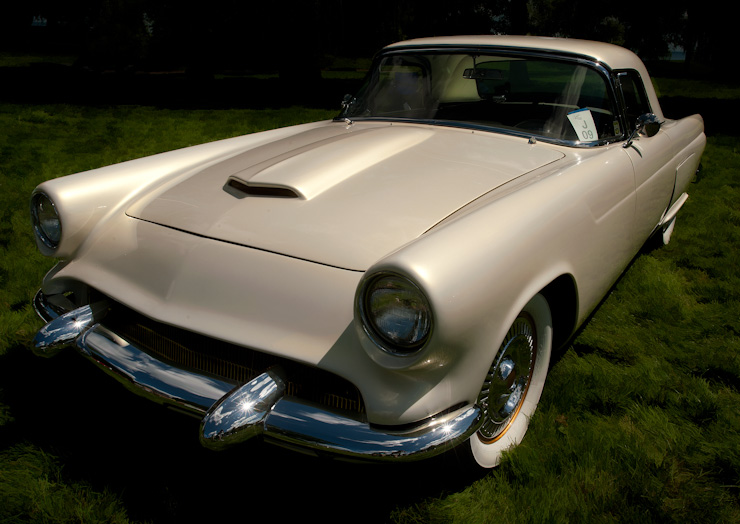
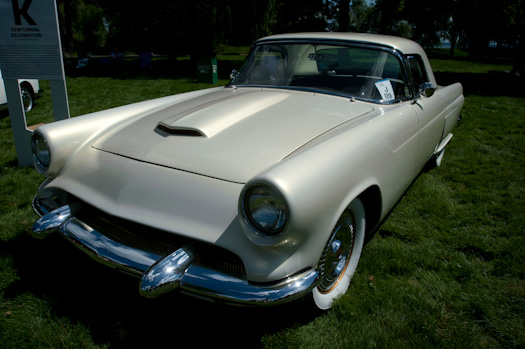
One of my favorite car shows of the summer is the ‘Eyes on Design’ car show held annually at the Edsel and Eleanor Ford mansion in Grosse Pointe Shores, Michigan. The show always has a great collection of interesting vehicles old and new. This picture shows a customized 1955 Thunderbird which was given the name ‘Goldenbird’ by its owner. Since this picture was taken at a show, there were several elements around the car that I didn’t want to have in the final image. I used the Content Aware Fill capability of Photoshop CS5 to remove some people who were sitting in the background. I also cloned out a big sign which was next to the car on the right and replaced it with grass patched in from various places. Finally I used Topaz Simplify to make the grass and background look more like a painting, while masking the car to keep the details. Finally I used a curves layer to darken the windows of the car and some of the background. Compare the finished image to the original below.
Comments?
Copyright © 2010 James W. Howe – All rights reserved.