

9542 – Take Two
by James Howe on Mar.05, 2011, under black and white

(Olympus E-500, 40-150mm at 150mm (2x crop factor), ISO 100, Exposure 1/750 sec @ f/8)
I was working through my Lightroom catalog this morning trying to find some shots that I had edited recently. I wanted to export them so I could print them. As I was working through the catalog, I came across an image of two trains that I had taken in the summer of 2007. I had produced a final image that I liked at the time, but when I saw it today I thought I might tweak it a little to come up with something different.
The original finished image (shown below) was the result of quite a bit of Photoshop work. I added some motion, cloned out some wires and produced a sepia toned image. I have a full description of all the processing that went in to that image on my Image Notebook blog. Anyway, the one thing which always sort of bothered me was the bland sky, it just seemed like something else was needed but I didn’t know what. Since I’ve been experimenting with textures of late, I decided to see what would happen if I added just a bit of texture.
To get to the modified image you see above, I first reworked the black and white conversion. In my original work, I had used the black and white adjustment layer to do the work, today I used Silver Efex Pro 2. As I always do when using Silver Efex Pro, I look through the presets to see if there is something that looks like it would be a good starting point. There were actually quite a few that I liked, but I decided on one of their Film Noir presets. I liked the way it darkened the image and gave it more of an industrial feeling. I added a bit of structure and removed the border that the preset uses and saved the change. On my top layer, I added a ‘Basalt’ texture which added a gray crackled texture. I like what it did with the sky, but I didn’t want it on the train itself so I masked it out. All of the other processing I had done with the original image I left alone.

Here is the way the image looked directly out of the camera.

There still isn’t a lot going on in the sky, but I think the addition of the texture added a bit more interest. I also think I prefer the darker, heavier look of this version. Like to know what you think.
Copyright © 2007-2011 James W. Howe – All rights reserved.
Variations
by James Howe on Mar.04, 2011, under Abstract
Following up yesterdays post, I wanted to post a couple more variations that I did of the same tree. The first variation is from the same raw image used for yesterdays shot (and shown down below), the second variation is of the same tree at the same location, but from a slightly different composition. I didn’t include the raw shot because it was virtually identical to the other raw shot with the only difference being how the shot was framed.

(Nikon D700, 70-300 at 185mm, ISO 400, Exposure 1/125 sec @ f/16)
For this image, I wanted to show a bit more of the surrounding area. I changed the blend mode of one of my textures from Darker Color to Linear Burn and it let in more information. I added a curves layer for some additional contrast and reduced the saturation just a bit. The other key difference with this image is the way the tree goes to silhouette instead of being green. I think it makes for an interesting pattern.
This next image once again used a different blend mode. I had taken my out-of-camera image and processed it in Silver Efex Pro to create a relatively high key black and white image. I then applied a curves layer to make it even brighter. On top of that I used a ‘Lime Plaster’ texture and chose the ‘Difference’ blending mode which created this interesting effect on the tree trunk. I finished it off as a square crop.

(Nikon D700, 70-300 at 185mm, ISO 400, Exposure 1/250 sec @ f/16)
The out of camera scene is shown below:

I’ll admit that these images may not be everyone’s cup of tea, but I find them interesting more as abstractions than as photographs. As always, your comments, criticisms and feedback are welcome and appreciated.
Copyright © 2011 James W. Howe – All rights reserved.
Emerald Forest
by James Howe on Mar.03, 2011, under Abstract

(Nikon D700, 70-300mm at 185mm, ISO 400, Exposure 1/125 sec @ f/16)
I’m still experimenting with applying textures to images and trying to figure out what works with regards to base image, blend modes, texture images, etc. Last night while watching some TV, I played around with a few images on my laptop to see if I could come up with some images that I liked. This particular image resulted from a ‘I wonder what would happen if…’ sort of moment. I took this shot a few weeks ago during a foggy/snowy day. I’ve always been attracted to the graphical look of bare trees against a monochromatic background. The fog/snow created a perfect opportunity.
My original thought was to process this in a high key black and white, and I did do a version with that processing. The image above was a refinement of that image. I chose the ‘Ming’ texture from my Flypaper collection and added it to the stack. I played with the usual blend modes of Overlay, Soft Light and Hard Light. I chose Hard Light and was pleased with the green tint that it added not only to the tree but to some other elements of the shot. I still wasn’t happy with it, however, so I added a second texture called ‘Lost Void’, a grayish dirty plastery sort of texture. For this layer, however, I did something different. I decided to go with the Darker Color blend mode to bring more of the texture into the image. I backed off on the opacity until I got a nice blend of the original scene, the green layer and the top layer. The opacity ended up being around 65%. I finished things off with a curves layer with a strong S-curve to increase contrast.

Would be really interested in hearing your feedback. Thanks!
Copyright © 2011 James W. Howe – All rights reserved.
Grain
by James Howe on Feb.28, 2011, under Miscellaneous
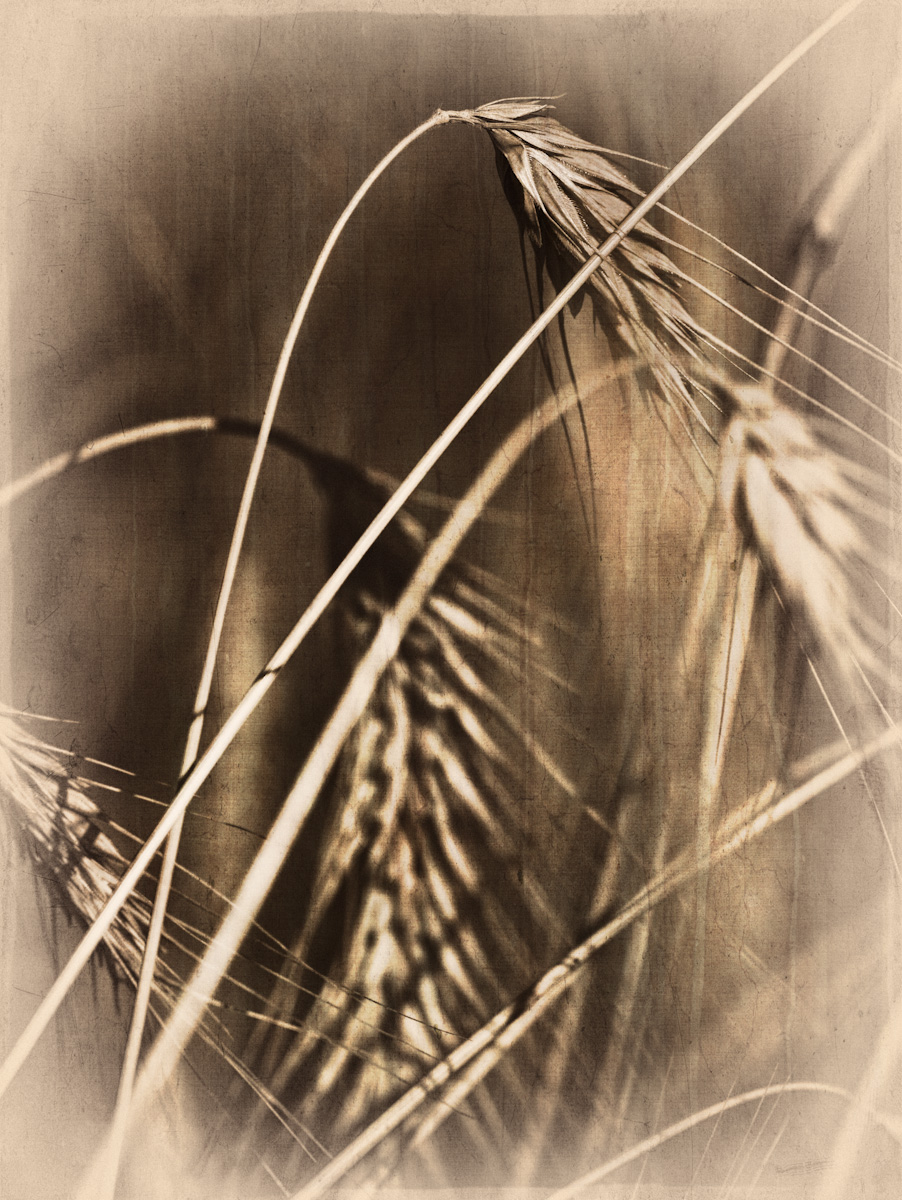
(Olympus E-3, 70-300mm at 141mm (2x crop factor), ISO 100, Exposure 1/640 sec @ f/7.1)
I’ve been wanting to try doing some texture processing on my images for some time and I finally went ahead and downloaded some. Based on a recommendation from John Barclay I downloaded the Flypaper textures to give them a try. I picked an image I had taken a couple of years ago of a stalk of wheat from a nearby field. I remember the day being windy and it was a challenge to get the grain portion in focus while keeping the DOF to a minimum. This was one of those images that I sort of liked, but couldn’t come up with a final image that I really liked. This time I decided to try adding some texture to the image and do some more playing around and I like what I came up with.
The main processing involved a couple of different steps. The first thing I did was create a black and white image using Silver Efex Pro 2. I then applied the ‘Leaky Garret’ texture in overlay mode at 94% opacity. This brought back some color to the image along with the texture. If I had started with the color image and applied the texture the color would have been too strong. The next thing I did was apply Fly Edge 29 to create an interesting edge. I masked out most of the center of the image because I really only wanted the edge component of the texture. I then took the image back in to Silver Efex Pro and used the Antique Plate II preset. This preset created a reverse vignette I really liked. I debated about using the new edge feature of Silver Efex Pro 2, but decided against it. After saving, I again applied a mask to bring back some of the color provided by the first texture. A bit of sharpening and the image is as you see above.

As always I would love to hear your feedback. Please leave a comment below.
Copyright © 2008-2011 James W. Howe – All rights reserved.
Rackham and North Quad
by James Howe on Feb.27, 2011, under University of Michigan
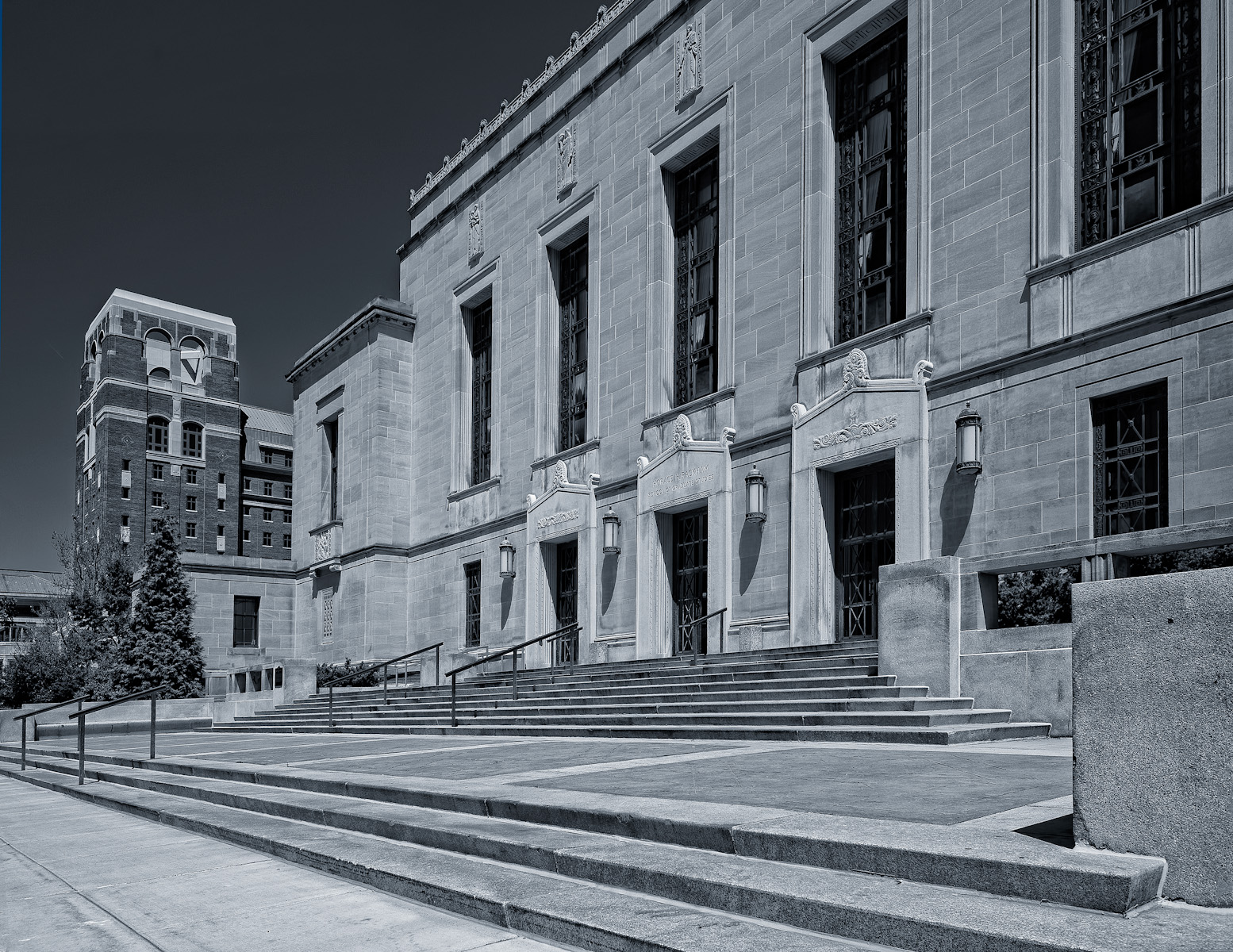
(Nikon D700, 16-35mm at 26mm, ISO 200, Exposure 1/250 sec @ f/11)
I haven’t had a lot of spare time recently to go out and do a lot of shooting, so I’ve been spending some time going over my Lightroom catalog and looking at images that I may have overlooked before, or for ones that I might want to try some different processing on. This image is one of the former. The shot shows the Rackham Building and the newly constructed North Quad dormitory on the campus of the University of Michigan in Ann Arbor. I took this picture last May on a bright, sunny Sunday morning. I had wanted to get some shots of the new dorm as well as see what other interesting things I could find.
This picture was taken right after I got out of my car. The sun was behind me and creating some nice hard light on the Rackham Building. I also liked the bit of North Quad which was in the frame. Since North Quad was still under construction, there was a fence around the building and the angle on this shot pretty much hides all of the construction related things surrounding the building at that time. I have a fondness for hard light and the sharp shadows it can create. I have several shots of the Rackham Building in hard light because it just seems to look great in that light. I like the lines created by the steps and the shadows created in the building details. Another thing I liked about this angle was the contrast in the materials used for the Rackham Building and North Quad. Rackham uses a light limestone and North Quad uses a darker red brick. I think this does a nice job of separating the two structures visually.
My goal in processing this shot was to create a nice clean black and white architectural image. To that end, the first thing I did was adjust the perspective to give the building less of a tilt. I think used my new Silver Efex Pro 2 software to do the black and white conversion. I adjusted the blue sensitivity to create a darker sky and I used the structure capability to bring out the detail in the limestone of the Rackham Building. Back in Photoshop I applied a simple curve to add a touch of blue to the shot. I could have toned the image in Silve Efex Pro but for some reason I chose to use a curves layer instead.
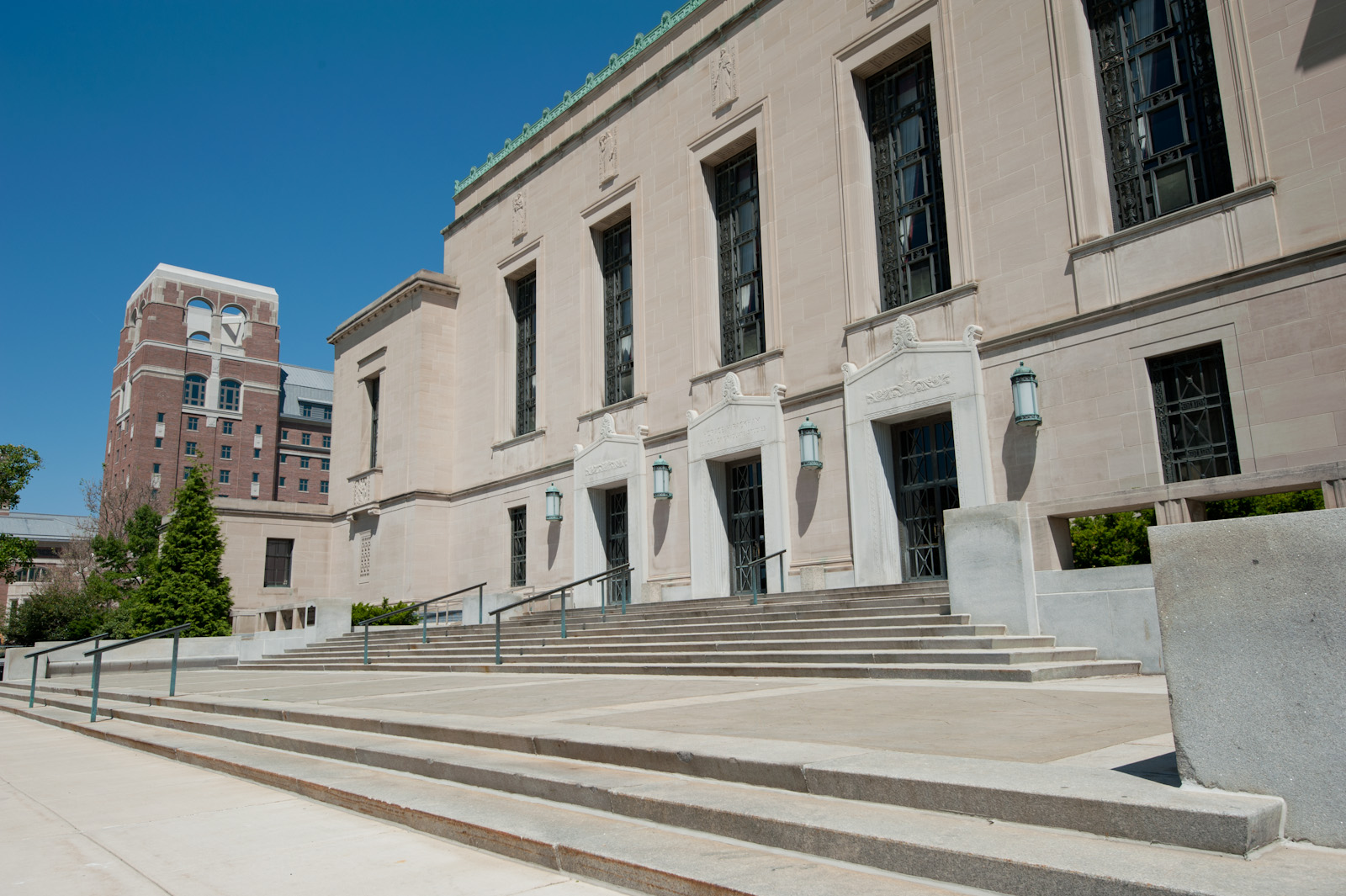
Would love to hear your thoughts and feedback.
Copyright © 2010-2011 James W. Howe – All rights reserved.