

Houghton Portage Lift Bridge
by James Howe on Jul.30, 2017, under Landscape, Michigan, Travel, Upper Peninsula
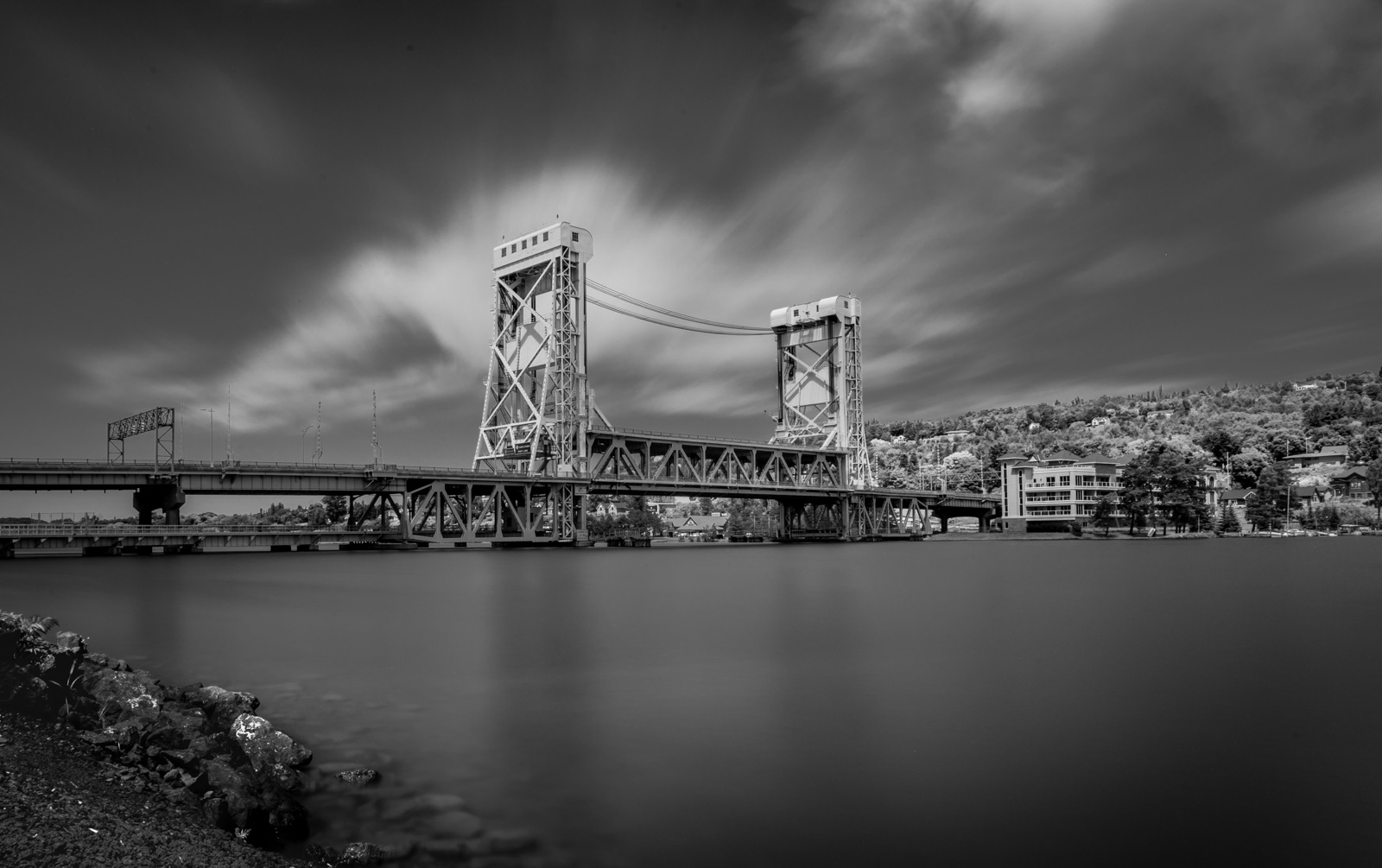
(Sony A7rii, 24-240mm f/3.5-6.3 OSS at 24mm, Exposure 4 minutes @ f/20, ISO 200)
I’ve always thought the lift bridge in Houghton, Michigan looked really cool, but I had not seen it in person since I was very young (and I don’t remember actually seeing it, but we had to cross it to get the Copper Harbor, so I know I’ve seen it). The bridge has two decks and used to support both automobile and train traffic. Originally the lower level allowed trains to cross the Keweenaw Waterway (Portage River/Portage Canal) while automobiles would use the upper level. When boats needed to cross, the bridge would need to be raised.
When the Upper Peninsula was a major copper supplier, trains ran frequently. However, copper hasn’t been mined here for decades and the rails are no longer really needed. To accommodate both boat and automobile traffic, the decks were changed so that both levels work for cars. Most of the time the bridge is now up so that most boats can travel underneath. If a larger ship needs to pass (which I believe is rare now), the bridge deck can go higher. In the winter, when boat traffic isn’t required, the bridge is lowered and the top deck is used for cars, and the lower deck connects to allow snowmobiles to travel where trains used to run.
One of the things I was trying out on our vacation was to shoot some long exposure shots. I was hoping for more clouds to create something more interesting in the sky, but I only got some little clouds. Still I think even the small amount of cloud cover yields and interesting image. I exposed the shot for 4 minutes using 13 stops of ND. Even though I was planning on converting to black and white, I was once again happy that my filters from Breakthrough Photography didn’t create a color cast. (I receive no support from Breakthrough, I just really like their stuff)
Below you can see the raw image as it came out of the camera:

All images available for sale or license. Please visit my Imagekind Galleries, Fine Art America Galleries or contact me for more information.
Copyright © 2017 James W. Howe – All rights reserved
Canyon Falls
by James Howe on Jul.23, 2017, under black and white, Landscape, Michigan, Travel, Upper Peninsula
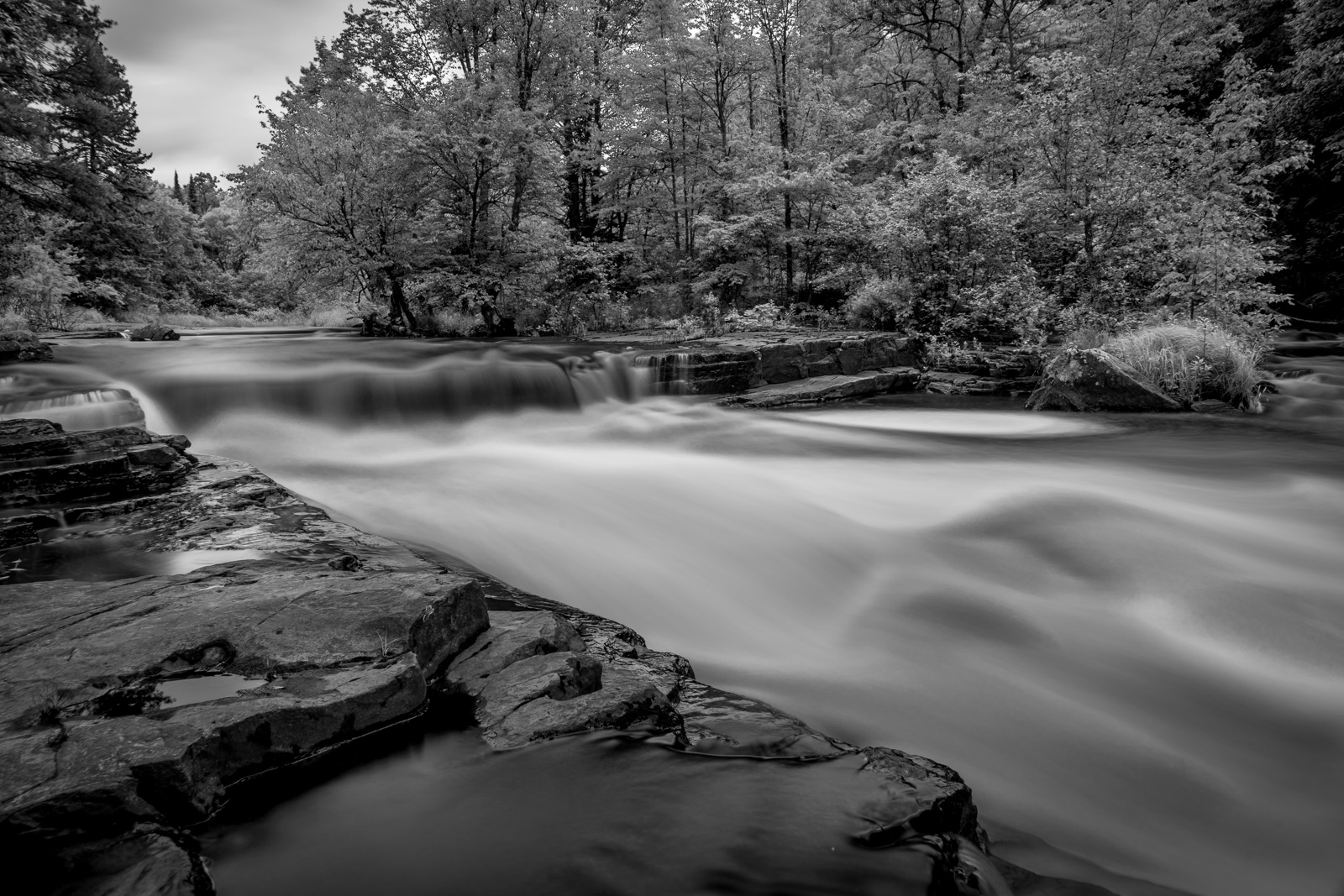
(Sony A7rii, 24-240mm f/3.5-6.3 OSS at 24mm, Exposure 25 seconds @ f/14, ISO 200)
My wife and I recently took a trip to the far northern reaches of the Upper Peninsula of Michigan. It is an area of the state that I had not visited since I was very young. On the way up to the tip of the Keweenaw Peninsula, we found this really nice waterfall called Canyon Falls. My wife was driving and I was actually searching on line to see if there were any interesting points of interest along the way. I ran across a reference to Canyon Falls, just off of Highway 41 south of L’Anse, Michigan. The falls are reachable from a simple roadside park. There wasn’t any publicity about the site, if you didn’t know about it, you might as likely have just driving right on by. However, we found it and pulled off to check it out and we were not disappointed.
The river itself is a short walk down from the entrance to the roadside park. As you walk through the woods, you can hear the water, but you can’t see much. After a few minutes, however, you can see the river. I had recently purchased a couple of ND filters (3, 6, and 10 stop) from Breakthrough Photography and I wanted to give them a try. I was able to find a few locations along the river where I could set up my tripod to get some good shots. I haven’t done a lot of shooting long exposures, and I don’t typically shoot landscapes, so this was somewhat of a new experience for me. However, I was able to get a few shots without people in them, and I managed to get the look I was going for with the long exposure. One of the great things about the ND filters from Breakthrough Photography is that they impart no color cast on the image. I’ve used other ND filters that required work to remove the color cast. With these filters, no adjustment was necessary. Even though I did eventually go with black and white it was nice to work with a filter that worked so well without a color cast.
The finished image above was created entirely using Adobe Lightroom. The raw file was quite bright and I had to bring down the exposure to bring back some detail in the river. I debated about going with color, since the river is this really nice root beer color. There are several falls in the Upper Peninsula that have this color, mostly it comes from decaying cypress trees. You can see the color version of the image below:
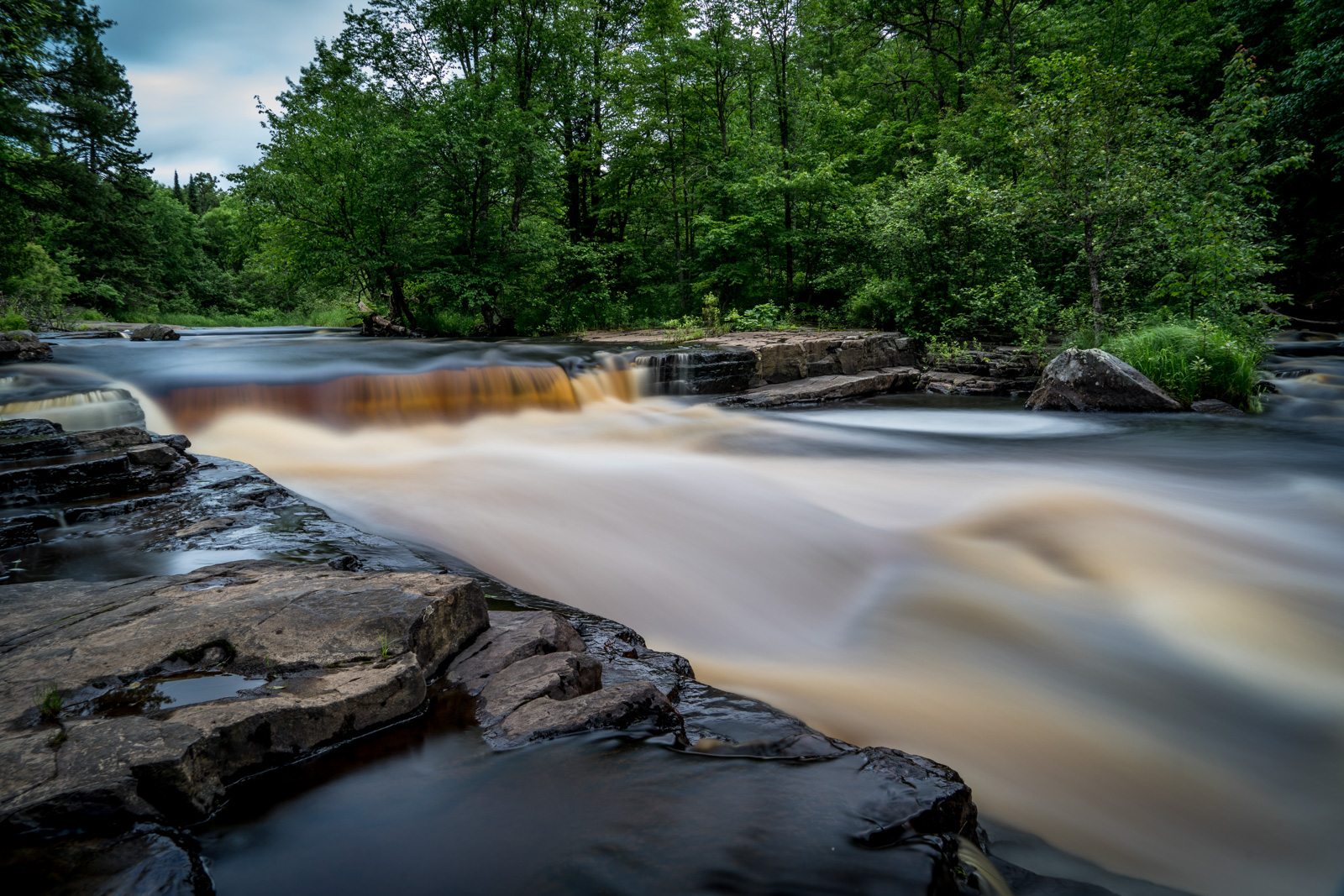
By way of comparison, here is where the image started:

All images available for sale or license. Please visit my Imagekind Galleries, Fine Art America Galleries or contact me for more information.
Copyright © 2017 James W. Howe – All rights reserved
Walt Disney Concert Hall
by James Howe on Aug.30, 2015, under Architecture

(Olympus OM-D E-M1, 12-40mm f/2.8 at 14mm (2x crop factor), Exposure 1/2000 second @ f/6.3, ISO 200)
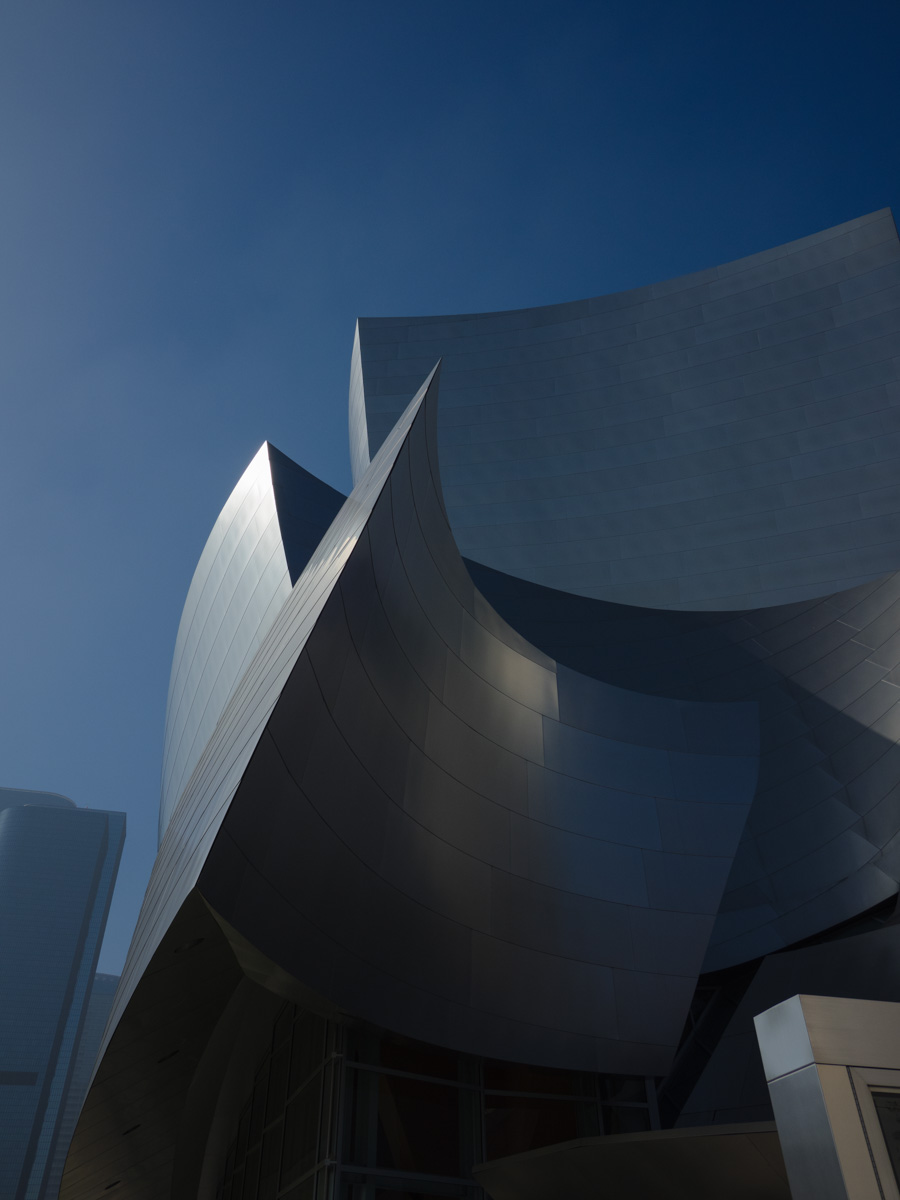
This is a picture of the Walt Disney Concert Hall in Los Angeles, California. The building was designed by Frank Gehry and completed in 2003. The design involves so many different shapes, textures and patterns that you could spend days (or more) shooting the building at different times/different angles and continue to come up with unique images. When I visited LA earlier this year I only had a short amount of time to shoot the build. As a result, I got a series of shots that I really liked, but they also had a certain sameness to them. The sky was clear blue, the angle of the sun was always the same, etc. When I was shooting the building, I had my camera configured to shoot square format in black and white. However, when I ended up processing some of the images, I decided to change things up a bit.
The main changes I made to the image were to add some toning and some additional texture. The building itself already has a texture of its own. The overlapping plates create one element of texture, but the plates themselves have a subtle texture as well. The sky in the image, however, was a smooth blue. On of my favorite photographers that I’ve been following on Facebook and Flickr for years is Julian Escardo. He often posts images which have this sort of tonality shift. While my intention was not to copy any of his work, I did want to see what would happen to this image if I applied a bit of toning. Initially I used Analog Efex Pro by Nik Software to provide the toning. I liked the warm tone that it gave to the building and sky. However, as I looked at the image, I thought it needed something else. I wanted to give it a bit more texture, so I used a ‘rice paper’ setting in Perfect Effects by onOne. After playing with the color and opacity, I came up with the final image that you see above. Below, you can see the raw image as it came out of the camera.
All images available for sale or license. Please visit my Imagekind Galleries, Fine Art America Galleries or contact me for more information.
Copyright © 2015 James W. Howe – All rights reserved
Twists and Turns
by James Howe on Feb.14, 2015, under Architecture, California, Travel
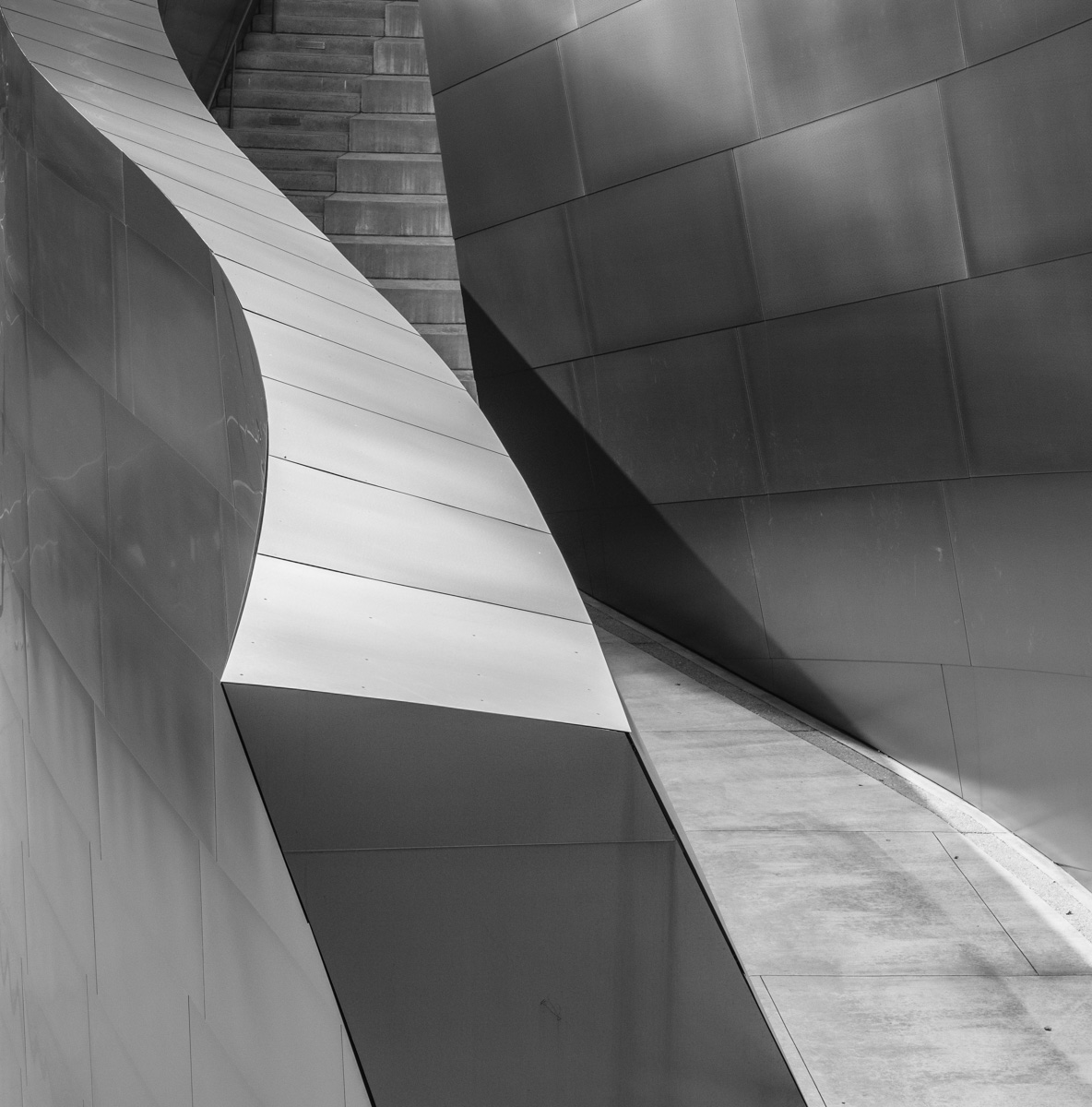
(Olympus OM-D E-M1, 12-40mm f/2.8 at 40mm (2x crop factor), Exposure 1/1250 seconds @ f/7.1, ISO 400)
On a recent trip to California I had the opportunity to spend a little time (too little) at the Disney Concert Hall located in downtown Los Angeles. The building was designed by Frank Gehry and completed in 2003. The exterior of the building is clad in metal panels, with no two panels being the same size or shape. The end result is a building which ‘flows’. It also provides a photographer with almost infinite ways to shoot the building and still come up with something unique and interesting. I was able to make at least one trip around the building, and the only place that gave me trouble was the side that was away from the sun and mostly in shade. Other than that I was able to get interesting images from almost all locations. Of course I do need to go back and shoot the building at different times of they day, but I was pleased with the shots I got, given the short period of time I was able to spend at the building.
One thing I did for this trip was to travel light. Instead of bringing my big and heavy Nikon (and assorted lenses) I just brought my Olympus OM-D E-M1, the 12-40mm f2.8, a rented Lumix 9-18mm and a fisheye. In the end, I used the 12-40mm almost exclusively. This was my first time really using this camera extensively. One of the features I really enjoyed using was the Electronic View Finder (EVF). Since I generally convert my architectural images to black and white I utilized the ability of the Olympus to show me the image in black and white as I was composing and shooting. I also wanted to try to shoot in square format, and once again I was able to set the camera up to show me the image in the square format.
To make things simple, I configured a ‘myset’ to switch the camera to a square aspect ratio and to use monochrome mode. I assigned a function button to let me toggle that mode on and off. I saved the files in both JPEG and RAW so I always had the option to use the full frame color version if I wanted, and to give me more control over the final black and white image instead of just using the JPEG produced by the camera. In general this worked out quite well. The only thing I didn’t like was that the ‘myset’ also kept the ISO setting that was in place when I saved the setting. Every time I turned on this mode, the camera would change to ISO 400. Sometimes that was fine, but in many cases ISO 400 was not needed and I would have had better picture quality had I shot at ISO 200. Sometimes I noticed this, but sometimes I didn’t.
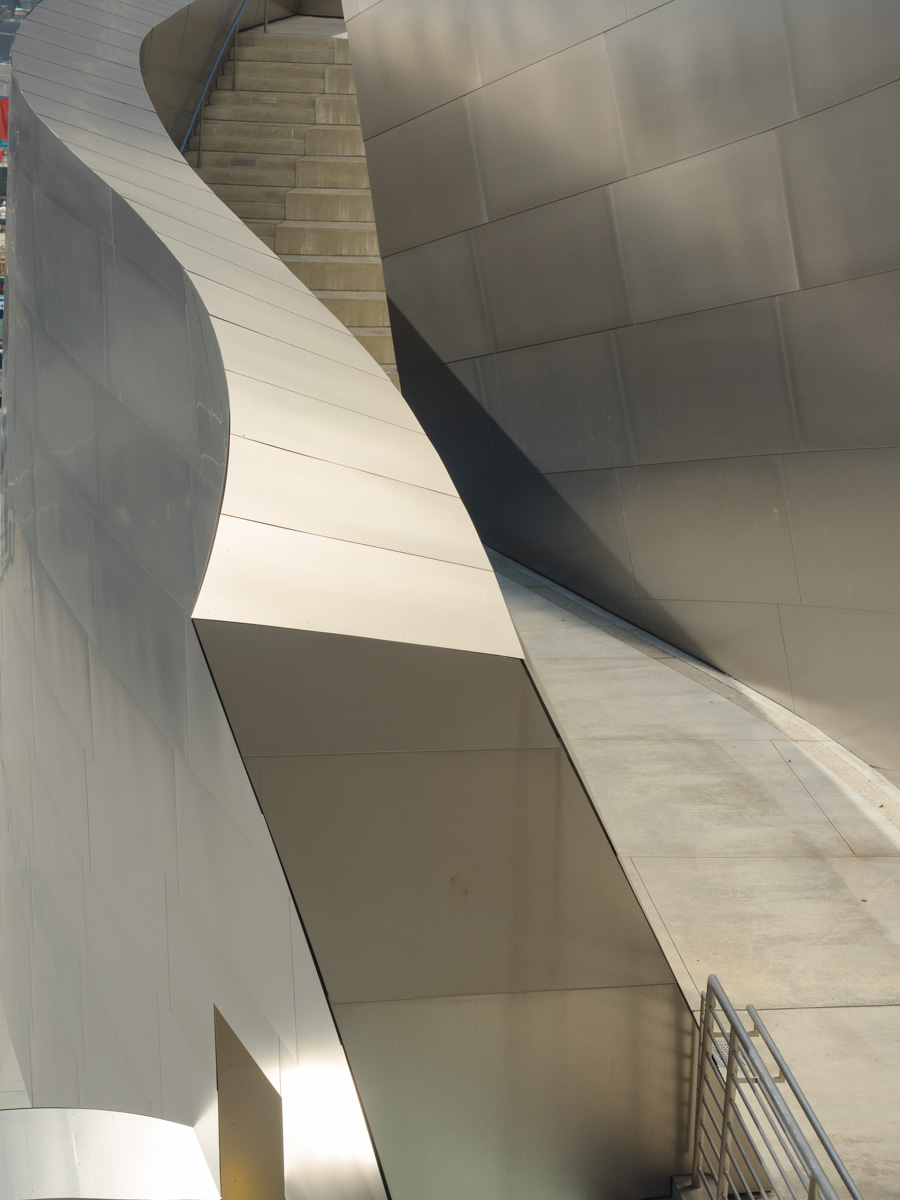
The image above was created from the RAW file with some very minor modifications to the cropping of the full size image. The image below, shows the RAW image straight out of the camera.
All images available for sale or license. Please visit my Imagekind Galleries, Fine Art America Galleries or contact me for more information.
Copyright © 2015 James W. Howe – All rights reserved
Lake & Wells – Chicago, Illinois
by James Howe on Mar.01, 2014, under Chicago

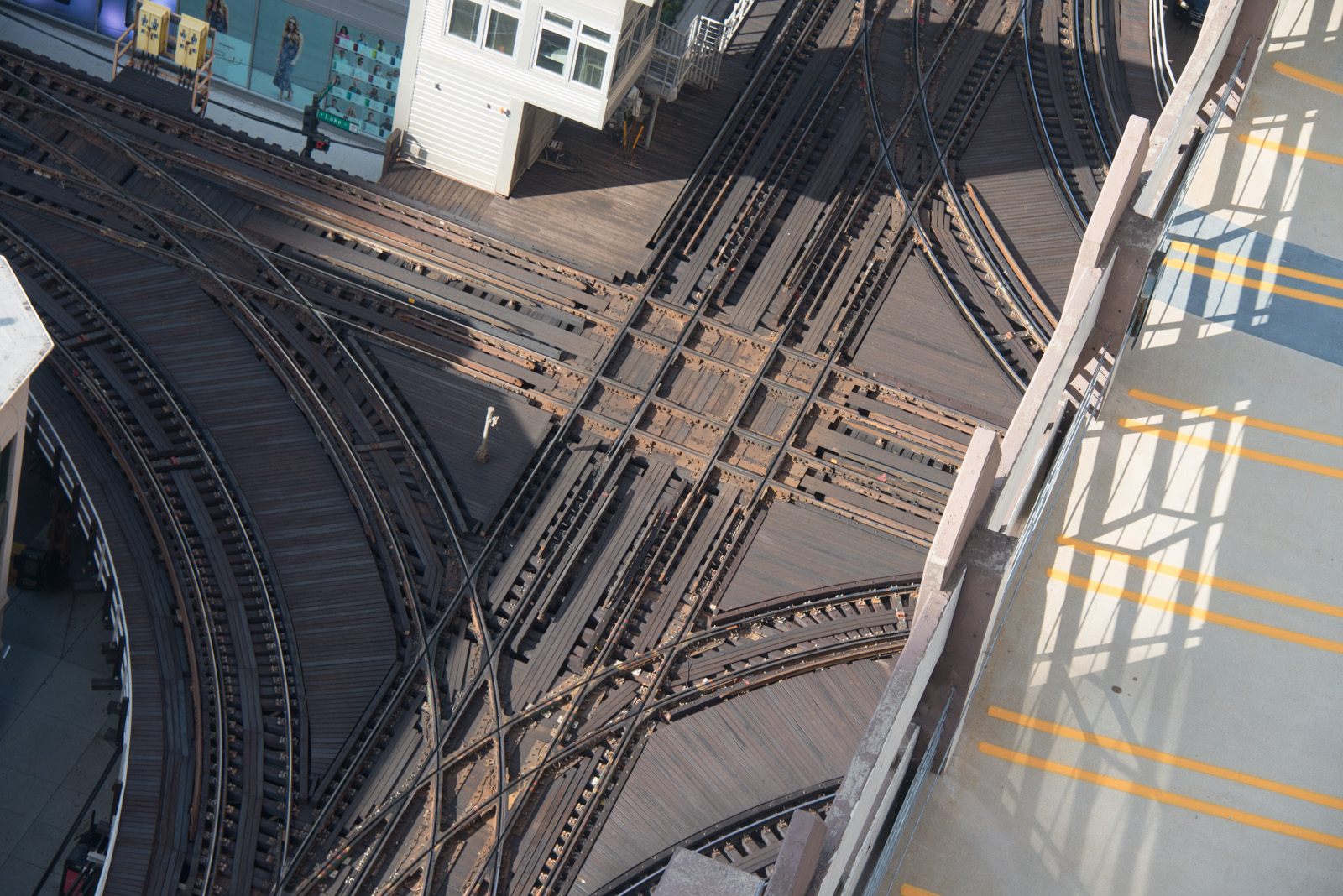
(Nikon D800, 28-300mm at 116mm, Exposure 1/125 seconds @ f/9.0, ISO 250)
One of the distinctive features of Chicago, Illinois is the elevated portion of its ‘L’ transportation system which includes a section of elevated tracks which encircle the area known as ‘The Loop’. This particular shot shows the junction at Lake and Wells streets. The photograph was taken from the rooftop deck of the Randolph Tower City Apartments. The building was open to the public during Open House Chicago 2013.
For processing, I wanted to bring out the lines and details of the old track. The raw camera shot just looked too smooth for my tastes. I used a bit of Lightroom to make some initial changes, but the majority of work on this image was done using Perfect Effects 8.1. I used a variety of filters to add some ‘grunge’ to the image, masking out/in areas of the image as needed.
All images available for sale or license. Please visit my Imagekind Galleries, Fine Art America Galleries or contact me for more information.
Copyright © 2014 James W. Howe – All rights reserved